Installer Intelligence
Signature scan detects NSIS, InnoSetup, WiX Burn, InstallShield, Squirrel and 5+ more. Silent args auto-filled. MSI ProductCode extracted from registry. EXE snapshot diff discovers ProductCode post-install.
ADDeploy generates PowerShell scripts, manages GPO linking, and tracks installations — using your existing AD, network share, and RSAT. No per-device fees. No new servers.
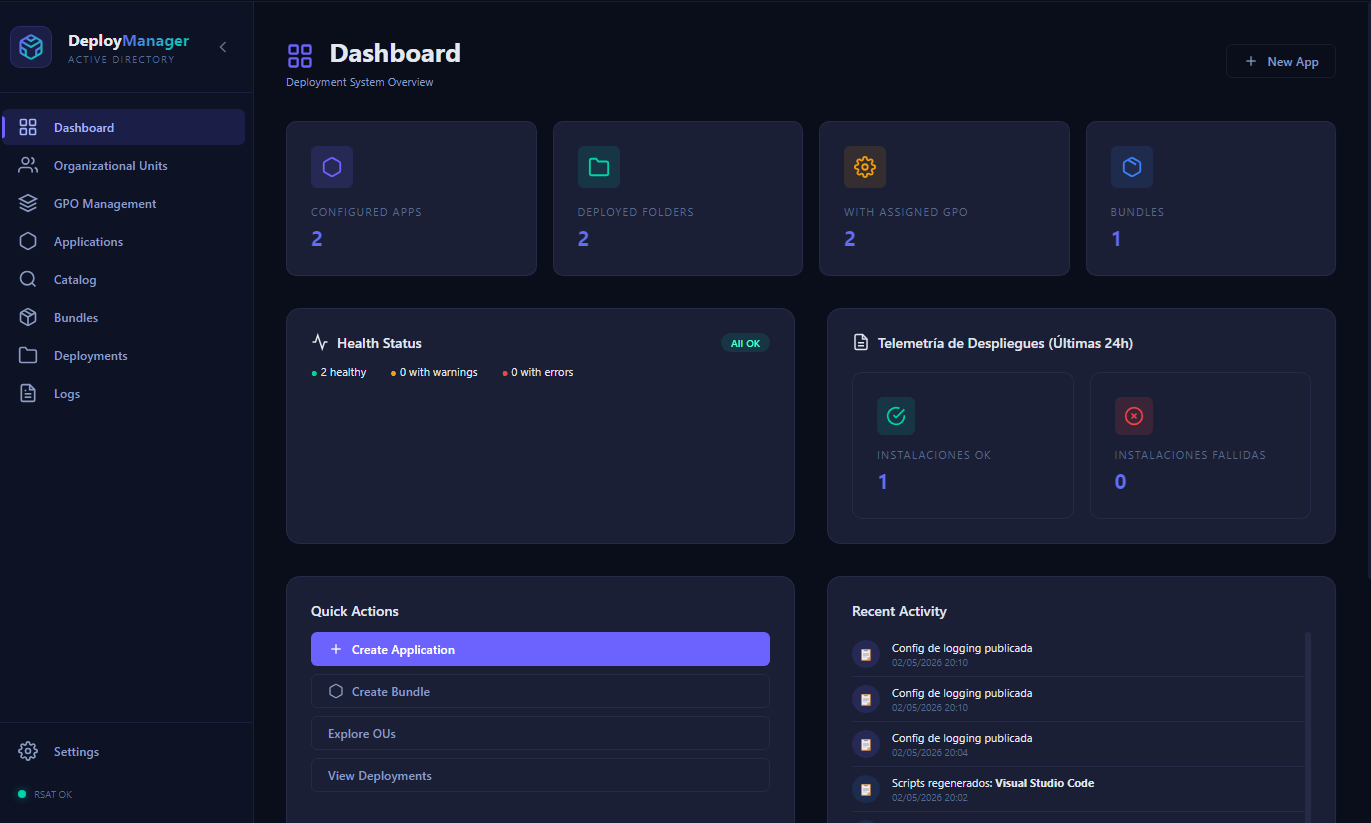
You have Active Directory. You have a network share. You know PowerShell. You don't need a $50,000/yr MDM platform.
UI built for sysadmins who work with AD daily — not for demos.
Import an MSI, EXE, PS1 or search the built-in Winget catalog. ADDeploy auto-detects the installer format (NSIS, InnoSetup, WiX Burn, InstallShield...), extracts the ProductCode, and fills in silent install arguments automatically.
# Auto-detected installer
Installer:    Chrome_Setup.exe
Format:       NSIS  (signature scan)
Silent args:  /S    (auto-filled)
ProductCode:  {8A69D345-D564-463C-...}
              (extracted via registry diff)

Target OUs:   OU=IT,DC=corp,DC=local
OU=Sales,DC=corp,DC=localA production-grade PowerShell script is generated with detection logic, version checking, silent args, and logging hooks. ADDeploy creates and links the GPO to your selected OUs via RSAT — directly from the UI. No GPMC needed.
# Auto-generated: Deploy-Chrome-120.0.ps1
$ProductCode = '{8A69D345-D564-463C-AFF1-A69D9E530F96}'
$Target      = '120.0.6099.109'

$inst = Get-WmiObject Win32_Product |
  Where-Object { $_.IdentifyingNumber -eq $ProductCode }

if (-not $inst -or
    [Version]$inst.Version -lt [Version]$Target) {
    Start-Process "$Share\Chrome.exe" -Args '/S' -Wait
    Write-Log "Chrome $Target → $env:COMPUTERNAME"
}GPO startup scripts run at next machine boot. The optional logging server (Docker Compose stack) ingests results in real-time: per-machine status, version installed, success/failure. With the BEACON agent (coming soon): deployments in 60 seconds, no reboot.
# Live deployment feed — logging server
[09:12:44] IT-PC-01   Chrome 120.0  INSTALLED  ✓  2.1s
[09:13:01] SL-PC-07   Chrome 120.0  INSTALLED  ✓  1.8s
[09:13:22] SL-PC-12   Chrome 120.0  INSTALLED  ✓  2.4s
[09:14:55] DV-WS-03   Chrome 120.0  INSTALLED  ✓  1.9s
[09:15:01] DV-WS-08   Chrome 115.0  SKIPPED    —  already current
[09:15:44] SL-PC-44   Chrome 120.0  INSTALLED  ✓  2.2s

Summary: 59/60 installed. 1 pending reboot.Built for sysadmins who already know AD and PowerShell — no 6-month onboarding curve.
Signature scan detects NSIS, InnoSetup, WiX Burn, InstallShield, Squirrel and 5+ more. Silent args auto-filled. MSI ProductCode extracted from registry. EXE snapshot diff discovers ProductCode post-install.
Visual OU browser with full AD tree mapping. Create, link, and manage GPOs directly from the UI — no GPMC needed. Bulk OU assignment with conflict detection. RSAT detection and guided setup.
Pre-built templates for Wazuh, SentinelOne, Microsoft Office, and 19+ enterprise apps. Parameters for agent IDs, endpoints, and license keys. App bundles for full software suites. Custom templates.
Context isolation + sandboxing enforced in Electron. PowerShell input sanitization on all generated scripts. DPAPI-encrypted secret storage. TLS certificate pinning. IPC channel validation.
Optional self-hosted logging server via Docker Compose. Real-time log ingestion from all machines. Per-machine deployment status, success/failure tracking, and full activity history per app.
Detect via MSI ProductCode, file path, registry key, or tracker. Version-aware: only reinstalls when installed < target. App dependency ordering. Uninstall scripts for MSI, registry, Winget, or custom command.
Built-in catalog with 50+ popular apps pre-configured. Winget and Microsoft Store integration with correct script generation. CLI catalog search via winget show. Version check against installed.
Production-grade PowerShell auto-generated with silent args, detection logic, error handling, and logging. Custom reusable PS1 templates. Import/export configs as JSON. Wizard mode and advanced mode.
AGPL-3.0 licensed. Self-hosted. Deployment scripts run on your machines, logs stay on your server, configs live in your environment. No cloud dependency. No telemetry you didn't ask for.
Honest comparison. We're not going to hide what Intune does that we can't (yet).
ADDeploy FREE | Intune | SCCM | PDQ Deploy | |
|---|---|---|---|---|
| Price | Free | ~$6/device/mo | Expensive | Free / $$$ |
| Open Source | ||||
| Self-hosted | ||||
| AD-native | Partial | |||
| No new infra needed | Partial | |||
| Real-time agent | Soon | |||
| App catalog | ||||
| Silent arg detection | ||||
| Auditable scripts | Partial | |||
| DPAPI security |
Intune pricing as of 2025. SCCM requires Software Assurance or M365. PDQ Deploy free tier has feature limits.
BEACON is a persistent Windows service that connects each machine to your ADDeploy server. Push software to any machine in 60 seconds — no waiting for Group Policy refresh, no scheduled reboot. Like Intune, but self-hosted and free.
If you run Active Directory with a network share, you're 90% of the way there.
ADDeploy is free, AGPL-3.0 licensed, and runs on your existing infrastructure. Download the Electron app, connect to your domain, and deploy your first app in under an hour.